Adding ID Tokens
With any CSMS, a valid ID Token must be loaded into the system for charging to be allowed. They are represented through
Authorizations in CitrineOS.
Create via Operator UI#
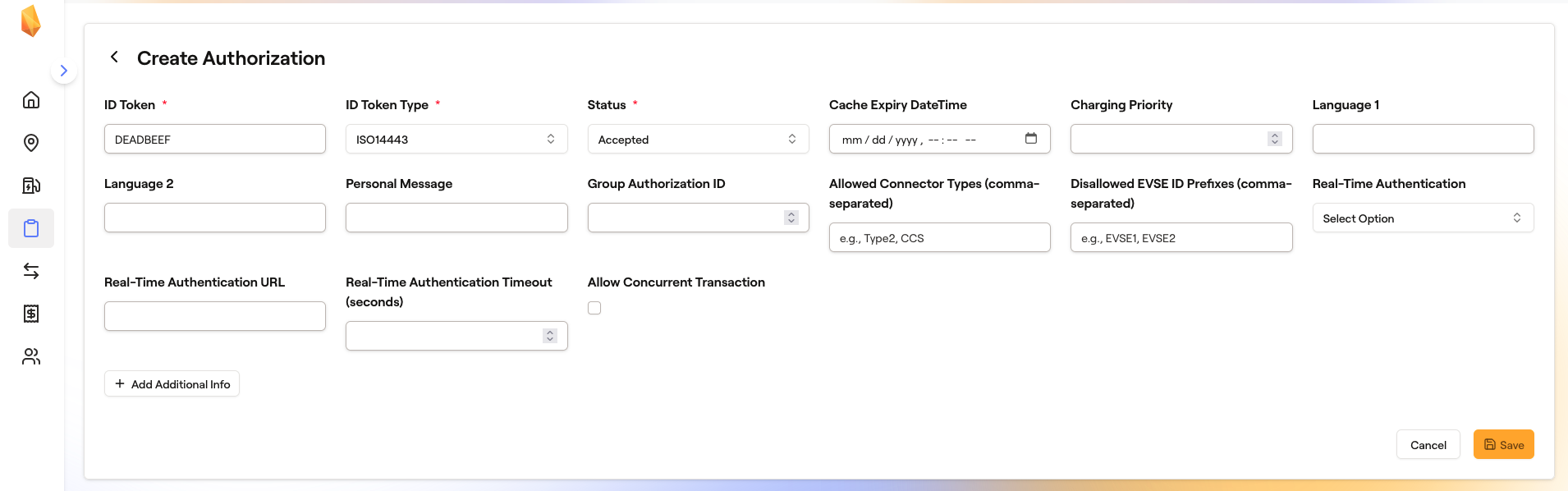
1. Navigate to /authorizations and click the Add Authorization button on the top right:

2. Configure your authorization and save it. Below is the Authorization that allows you to authorize EVerest transactions:
Create via GraphQL#
From the Hasura GraphQL console, you can insert a new Authorization using the following mutation (the values will allow you to authorize EVerest transactions):
mutation CreateAuthorization {
  insert_Authorizations_one(object: {
    createdAt: "2026-01-01T00:00:00.000Z",
    updatedAt: "2026-01-01T00:00:00.000Z",
    idToken: "DEADBEEF",
    idTokenType: "ISO14443",
    status: "Accepted"
}) {
    id
    idToken
    idTokenType
    status
  }
}